
Translate conversations,
menus, and signs.

Listen, speak, or type in Umo. Read the translation, hear your reply aloud, and save what you need for later.

Download on the App Store

For iPhone. Free to download. No Umo account required.

Umo and its fox companion with a travel map

Features

Native app screens with example content.

Conversation translation

Choose your language and the other person’s language. Umo keeps the original words and translation together, so you can follow both sides.

  • Listen and read along as someone speaks.
  • Speak or type your reply, then play it aloud.
  • Use Auto to detect the other person’s language.
  • Replay a translation without starting a new conversation.

Up to 25 languages. Availability varies by device, iOS version, and translation mode.
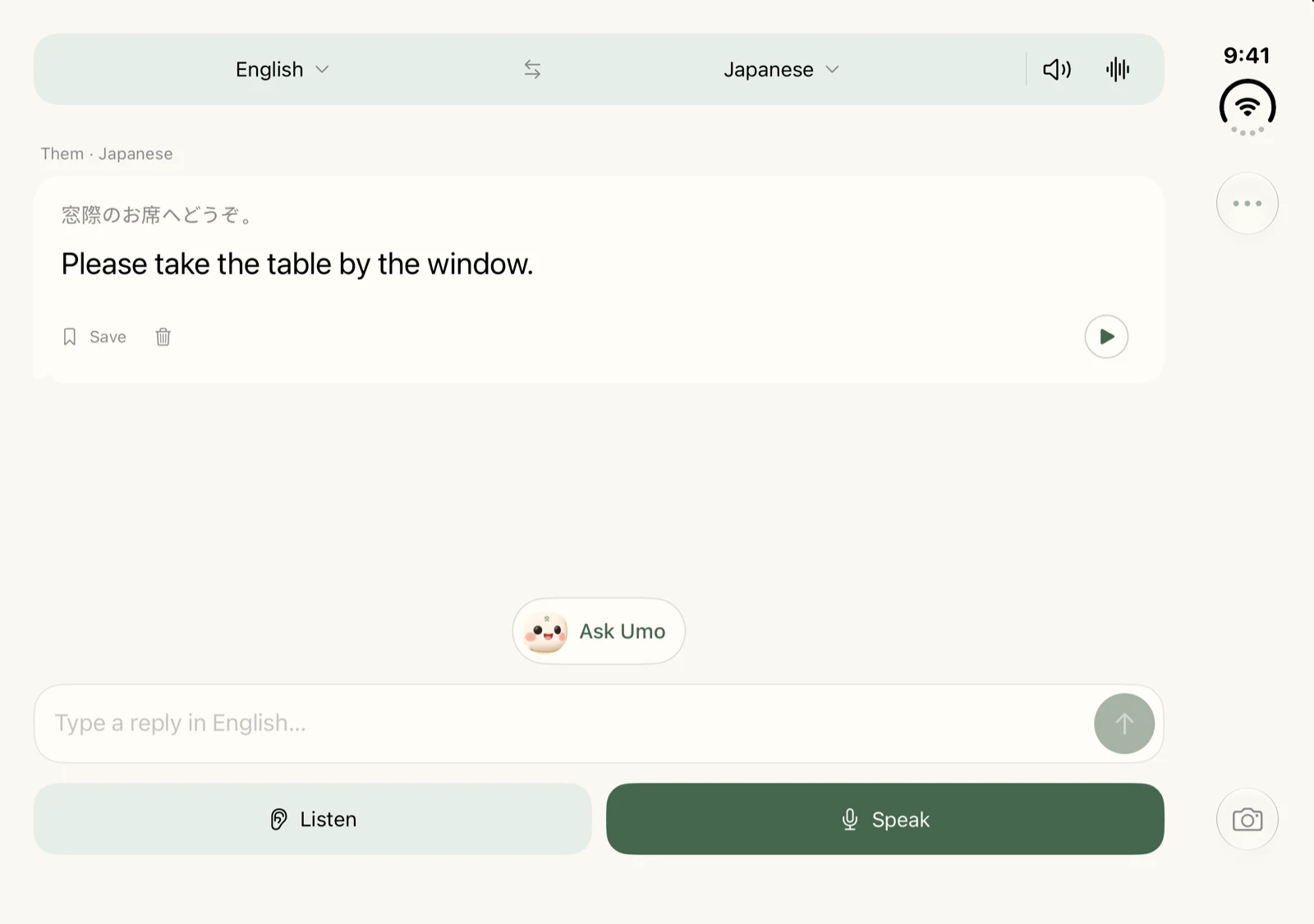
An English and Japanese conversation on the unfolded iPhone Duo, with language selection and Listen and Speak controls
Conversation on iPhone Duo, unfolded.

Camera translation

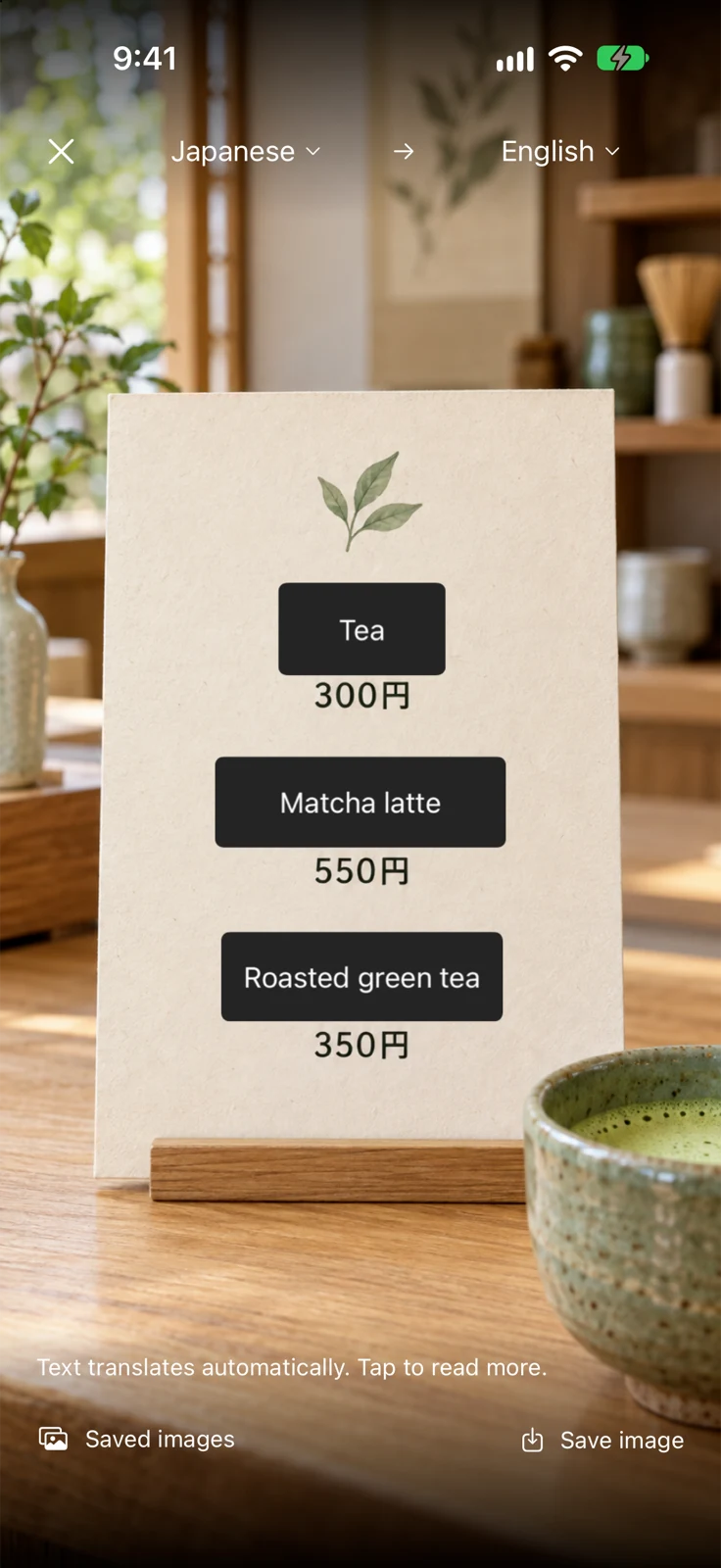
Read menus, signs, and other printed text. Take a photo, then read the translated labels without holding your phone in place.

  • Zoom in on small text.
  • Open a translation to read the full text.
  • Save the translated image for later.

Text recognition and translation run on your iPhone. Language downloads may be needed.

A Japanese tea menu with English translations displayed over the photo
Camera translation on iPhone.

Ask Umo

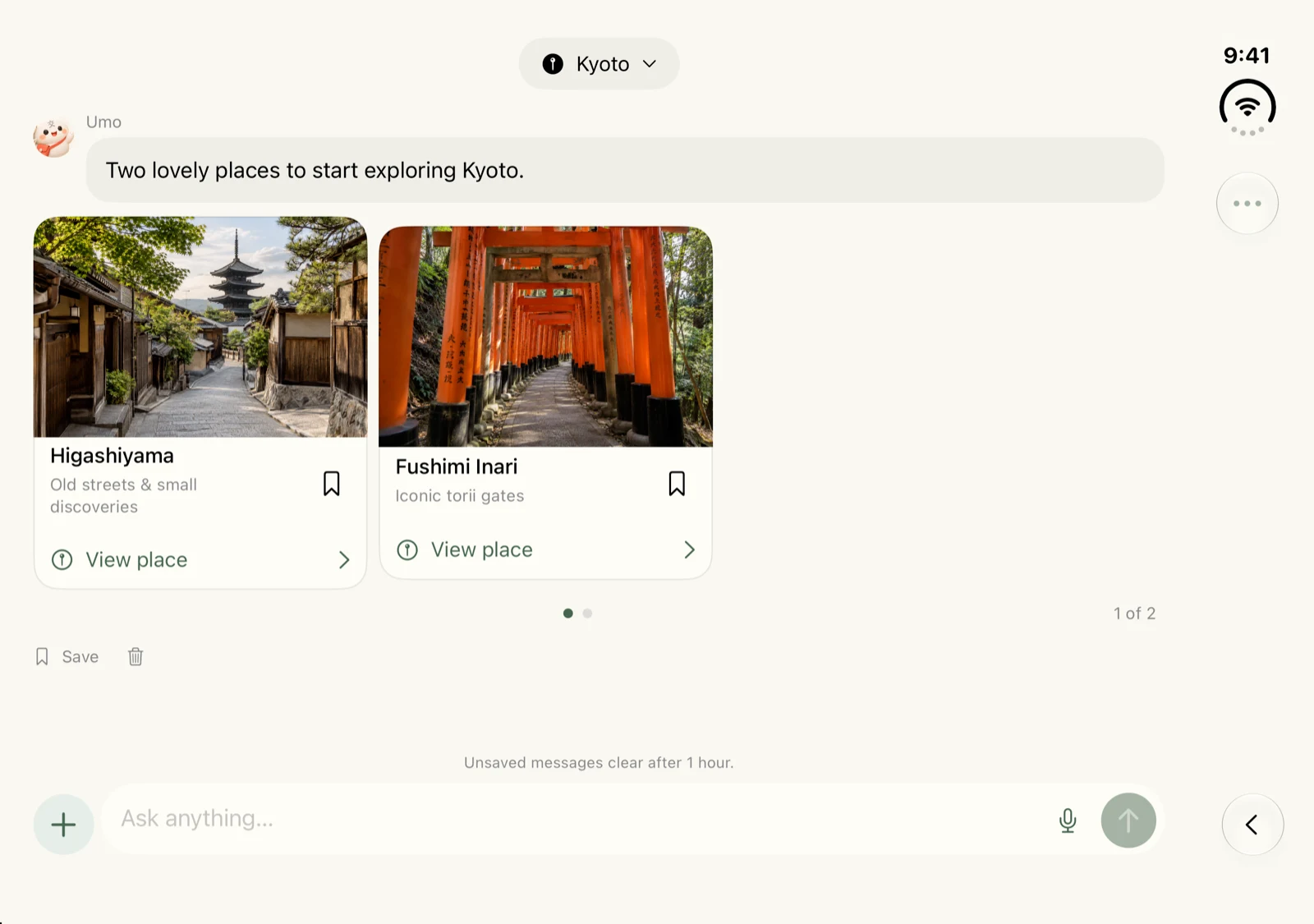
Ask a travel question and keep the follow-up in the same chat. Place cards, photos, and maps sit alongside the answer.

  • Find nearby places, or choose a destination.
  • Compare options and open place details.
  • Save places you want to visit.
  • Attach a photo and ask about what you see.

Included with Umo Voice. Ask Umo has separate processing permission; location access is optional.

Ask Umo showing Kyoto place photos and details across the unfolded iPhone Duo display
Places and photos on iPhone Duo, unfolded.

Plan a walk or a day out

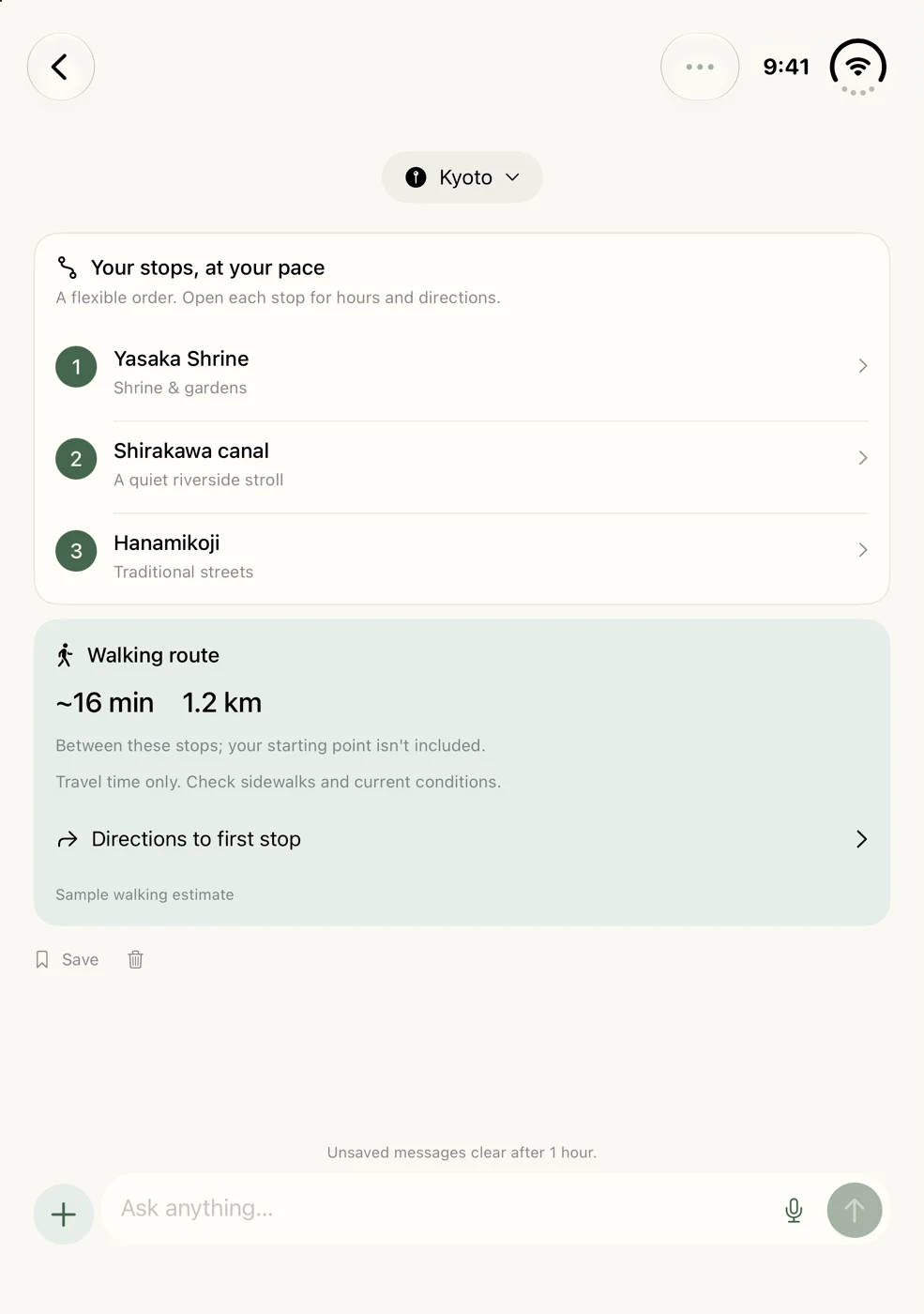
Tell Umo where you’re going and what interests you. Build an itinerary, adjust the stops, and ask follow-up questions as your plans change.

  • See a suggested order for your stops.
  • Check walking routes and travel estimates.
  • Open a place for details and directions.

Included with Umo Voice. Check current hours, routes, and other details before relying on them.

A Kyoto itinerary on iPhone Duo with three stops and a sample walking estimate
An itinerary on iPhone Duo. Walking time shown is an example.

Saved phrases

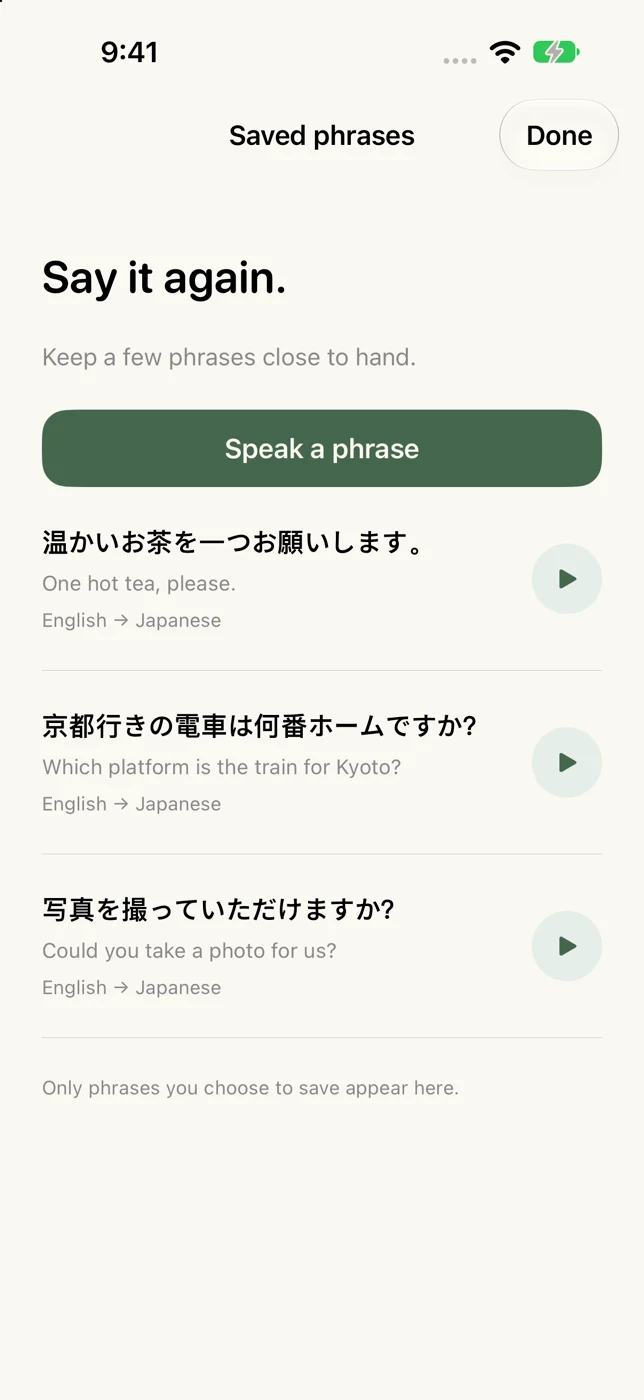
Keep translations you expect to use again. Your phrase book retains both languages, with playback for the saved translation. Show a translation in larger text when you need someone else to read it.

Saved phrases for ordering tea, finding a train platform, and asking for a photo
Saved phrases stay on your iPhone.

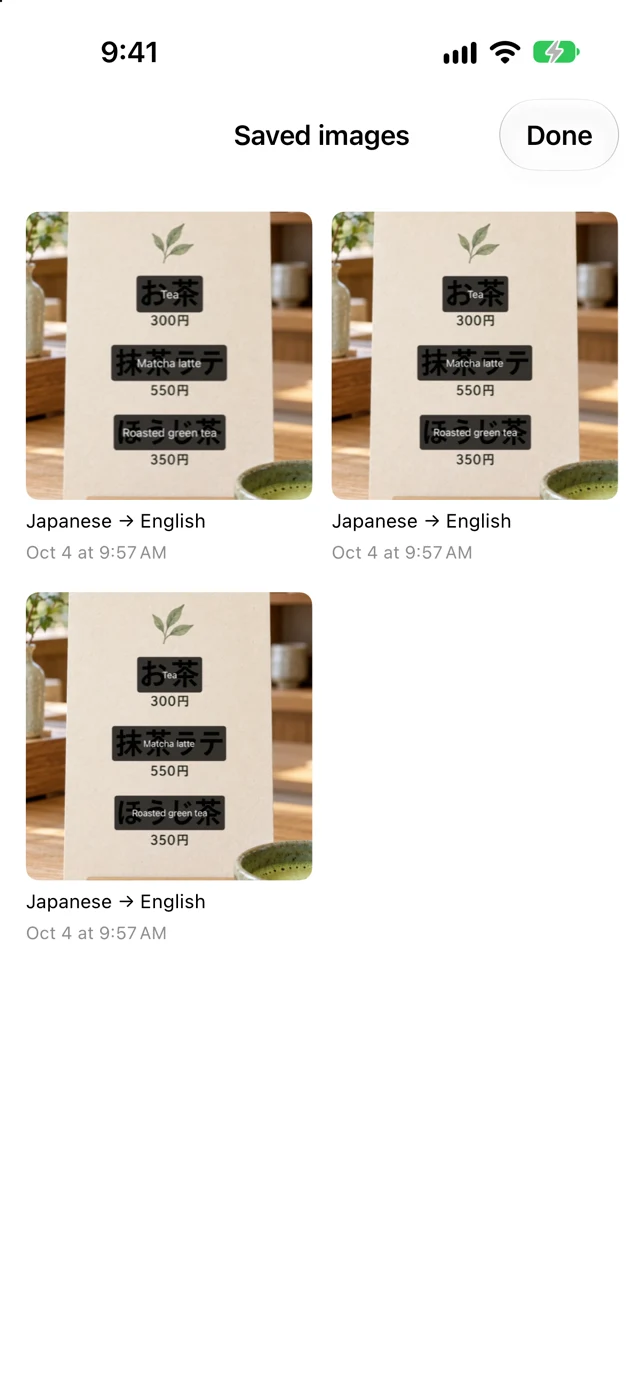
Saved images

Keep a translated menu or sign in Umo’s gallery. Reopen it and zoom in without translating it again. You can also attach a saved image to an Ask Umo question.

Umo’s saved images gallery showing translated Japanese menu photos
View saved images without a connection.

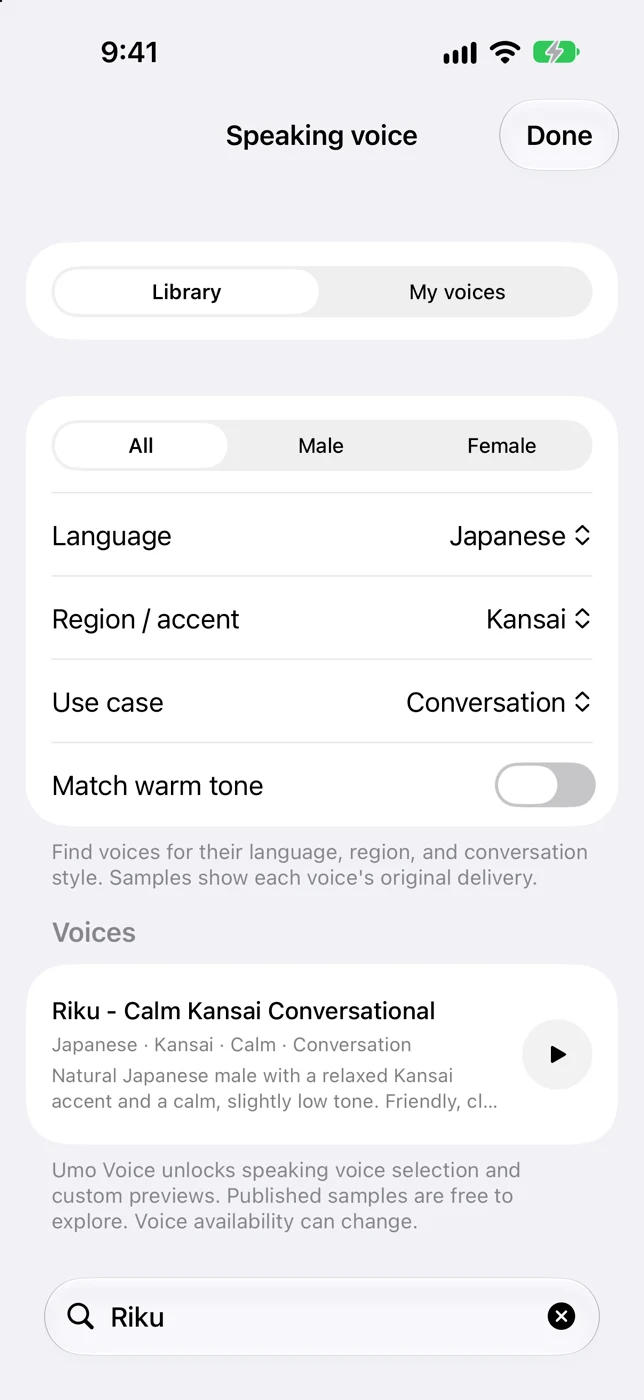
Speaking voices and tones

Find a voice for the language you’re speaking. Browse by language, region, or accent and listen to a sample before choosing.

  • Keep your selected voices in My voices.
  • Choose a tone for spoken replies.
  • Preview a voice and tone with your own words.

Voice selection and custom previews are included with Umo Voice. The default speaking voice is free. Voice availability can change.

Umo’s speaking voice library filtered to Japanese and the Kansai region
Search the voice library by language, region, and use.

Free features

Conversation and camera translation, the default speaking voice, saved phrases, and saved images.

Umo Voice

Travel chat, more speaking voices, regional accents, and tones. An optional monthly subscription.

The price and any eligible trial appear before purchase. Online features need internet access and have usage limits.

Privacy

Text and camera translation run on your iPhone. Online speech and Ask Umo use external providers with your permission. Saved chats, phrases, and images stay on your device.

Read the privacy policy